The instax mini Link+™ smartphone printer is not just for printing on the go – it’s a seamless way to compile and print the images that matter to you most. And with the Simple Print Mode (the go-to-setting for everyday photography) on the free downloadable instax mini Link™ app, you can print photos straight from your smartphone’s camera roll by connecting the printer to the app via Bluetooth®, and turn them into striking, lasting instax™ mini instant photos.(instax™ mini instant film required sold separately)
Download of free instax mini Link™ app required
Elevate your content with Design Print Mode on the instax mini Link™ app, exclusive to the instax mini Link+™ smartphone printer. Perfect for text-rich layouts and intricate illustrative work such as magazines, posters and artwork, it prints every word, graphic, and detail. The sweet spot where precision meets style; your selects, your way.
Step into Simulation Mode on the instax mini Link™ app and visualize your instax™ mini photos in real life before they print on the printer. See how they would appear in frames, on walls, shelves, or even on a phone case (all sold separately) to experiment with placement, style and impact, helping you explore, plan and print with confidence.
Give your instax™ mini instant photos a personal edge –apply a frame with the Frame Print feature, add a sticker, or even add a caption through the instax mini Link™ app. The instax mini Link+™ smartphone printer is designed for those who appreciate precision and flair, where every image becomes a statement, not just a photo.
Multiple Print Mode on the instax mini Link™ app lets you print up to 10 images that you’ve previewed and selected in Image Simulation Mode in a single step. No more print one, wait, select and print again. Just smooth, seamless printing one after another, helping you to preserve your creative momentum.
Even a fleeting moment within a video can become a sharp, stylish instax™ mini instant photo you’ll want to display. Imagine that ‘hard to capture’ subject as a still image; now experience how easy it is to select your favorite scene from any video on your smartphone’s camera roll and print it effortlessly with the free instax mini Link™ app.
Download of free instax mini Link™ app required
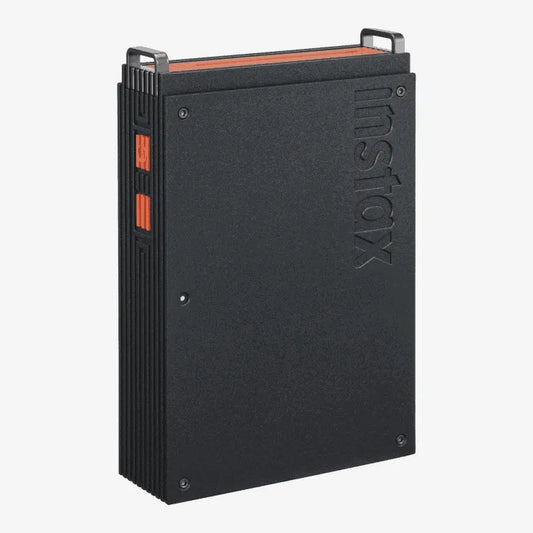
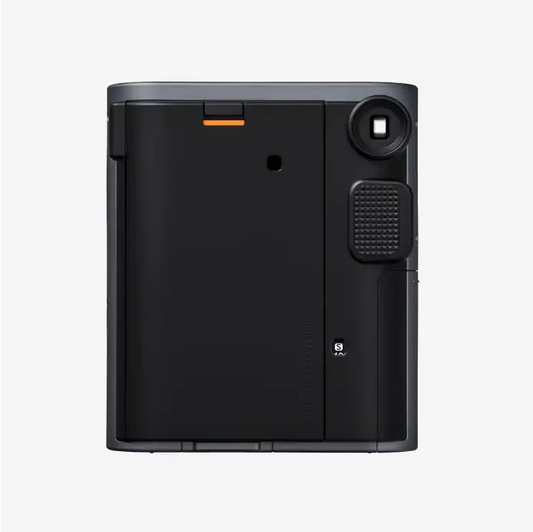
Slim, black and with a striking orange color accent, the instax mini Link+™ smartphone printer has a strong and powerful design that complements any environment.
Tell more of your story with the Collage Print feature on the instax mini Link™ app – the perfect way of combining multiple images onto a single instax™ mini instant photo. Whether they’re shots of your friends and family, it’s the ideal way to tell a rich, sharp story.
Equipped with a built-in USB Type-C port, the instax mini Link+™ smartphone printer charges quickly and effortlessly. So, whenever inspiration strikes, you can focus on creating, not waiting.
Get ready to embrace color with two print quality modes on the instax mini Link™ app. Choose instax-Natural mode™ for clean, subtle tones that echo classic film, or switch to instax-Rich mode™ for dynamic, saturated colors. Two color profile modes, which one suits you?
Want a duplicate? Before powering down, flip the instax mini Link+™ smartphone printer upside down, press the Power Button for one second and another instax™ mini instant photo will print out. One for you, one to share.
For a touch of mood-matching, the new Light and Dark UI modes in the instax mini Link™ app (so you can make the screen light or dark) mean printing has never looked so refined.
Download of free instax mini Link™ app required
Step into the group shot too with the instax™ Camera feature on the instax mini Link™ app. Position your smartphone, get the group together, and trigger the shutter remotely with the mini Link+™ Power Button. Crisp, complete group shots, which also include you!
Think of the instax mini Link+™ smartphone printer as your pocket-sized photobooth. Gather your crew and enter the Click to Collage App feature using the free downloadable instax mini Link™ app. Take six shots in quick succession, then pick your favorites to print as a collage on an instax™ mini instant photo, before enjoying a digital animation to share on social.
Put camaraderie to the test. Using the Match Test feature on the free downloadable instax mini Link™ app, you and a friend can answer a series of questions and see the results revealed on a printed instax™ mini instant photo. It’s the perfect activity for a rainy day or for when you’ve got the whole group over.
With the instax AiR Studio™ App feature, add ‘in-the-moment’ 3D AR effects before you’re taking the shot using the instax mini Link™ app on your smartphone. Then save up to 20 of your image creations to print later or capture a video of the action to share another day. Consider it your pocket-sized studio ready to go whenever you are.